Convert data between the four common structured text formats in one call: send the payload in the body and pick the source and target formats. Great for configuration files, integration payloads and data pipelines.
{"from":"yaml","to":"json","result":"{\n \"name\": \"Ana\",\n \"roles\": [\n \"admin\",\n \"editor\"\n ],\n \"active\": true\n}"}
curl --location --request POST 'https://zylalabs.com/api/13173/structured+data+format+converter+api/26719/convert+a+document' --header 'Authorization: Bearer YOUR_API_KEY'

--data-raw 'name: Ana
roles:
  - admin
  - editor
active: true'
Após se cadastrar, cada desenvolvedor recebe uma chave de acesso à API pessoal, uma combinação única de letras e dígitos para acessar nosso endpoint de API. Para autenticar com a Structured Data Format Converter API basta incluir seu token Bearer no cabeçalho Authorization.
| Cabeçalho | Descrição |
|---|---|
Authorization
|
Obrigatório
Deve ser Bearer access_key. Veja "Sua chave de acesso à API" acima quando você estiver inscrito.
|
Sem compromisso de longo prazo. Faça upgrade, downgrade ou cancele a qualquer momento. O teste gratuito inclui até 50 requisições.
(Economize 2 meses com cobrança anual 🎉)
Empresas líderes confiam em nós




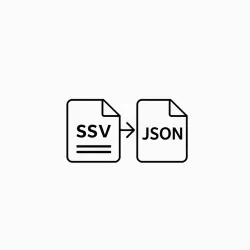
One endpoint to translate between the four common structured text formats. Send the content as the request body, choose the source and target formats, and receive the converted document.
Useful for migrating configuration files between formats, talking to legacy systems, exporting data for spreadsheet users, and normalizing mixed format feeds.
O endpoint Converter um Documento permite que os usuários convertam dados de texto estruturados entre quatro formatos: JSON, YAML, XML e CSV. Isso é útil para migrar arquivos de configuração, integrar com sistemas legados e normalizar feeds de formatos mistos
The endpoint accepts parameters such as "from" to specify the source format and "to" to indicate the target format. Users must provide the data in the request body for conversion.
The response data is structured as a JSON object containing three key fields: "from" (source format), "to" (target format), and "result" (the converted document). This structure allows users to easily identify the conversion details.
Accepted parameter values for the "from" and "to" fields include "json," "yaml," "xml," and "csv." Users must ensure they select valid formats for successful conversions.
Os dados retornados estão no formato JSON, com o campo "result" contendo o documento convertido como uma string. Por exemplo, converter YAML para JSON resultará em um objeto JSON representando a estrutura de dados original
Typical use cases include migrating configuration files between formats, exporting data for spreadsheet users, and integrating data from mixed format feeds into a unified structure for processing.
Users can parse the "result" field to access the converted document. This allows for further processing, storage, or integration into applications, depending on the target format selected.
The API employs deterministic algorithms to ensure consistent output across conversions. This minimizes discrepancies and maintains data integrity, making it suitable for delivery jobs and data pipelines.









 Executar no Postman